Resolve Case in MS CRM using Power Automate
Problem Statement => If you try to resolve case directly in Power Automate by setting the “Status = Resolved” and “Status Reason = Problem Solved” then you may encounter an error in the Power Automate step and it won’t allow you to resolve case this way. Lets discuss how we can achieve this using Power Automate.
Method 1 – Create Case Resolution entity record
Solution => In MS CRM whenever a case is resolved manually by clicking Resolve Case Button present on ribbon of Case form then in the background CRM creates a record of Case Resolution entity. So if you create this record for the case you want to resolve from PA then from PA you can resolve the case.
- To resolve case in MS CRM using Power Automate you need to create the record of Case Resolutions table.
- Select Resolution Type as Closed or whatever you want to specify at time of case resolution depending on business needs
- Pass the caseid of case which you want to resolve
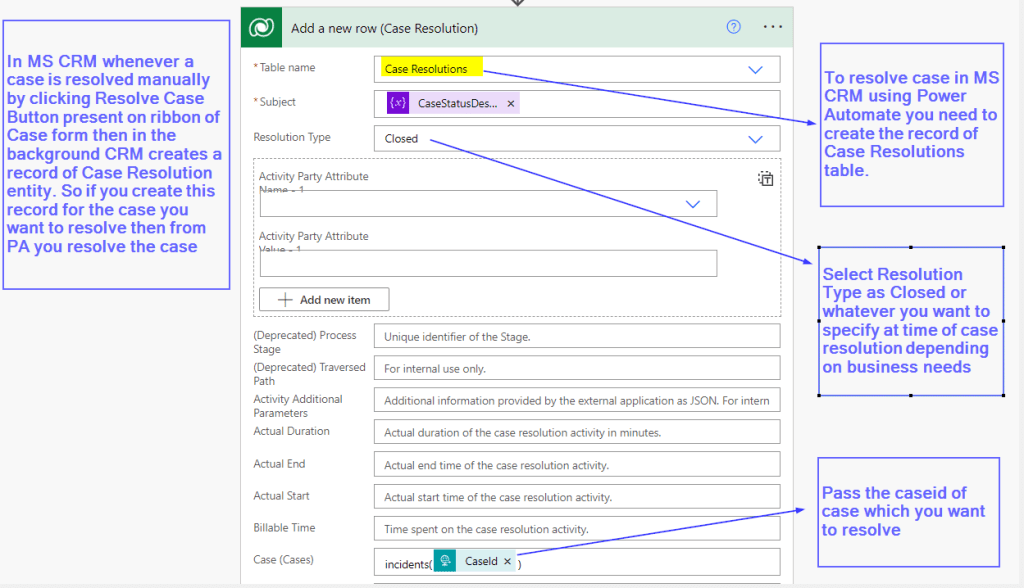
Just by doing this you will be able to resolve case and case will become read only once it is resolved.
Method 2 – Perform an Unbound Action “CloseIncident”
In Power Automate you can use OOB unbound action “CloseIncident” to resolve a case.
Below is the unbound action ‘CloseIncident’ with description of its necessary fields.
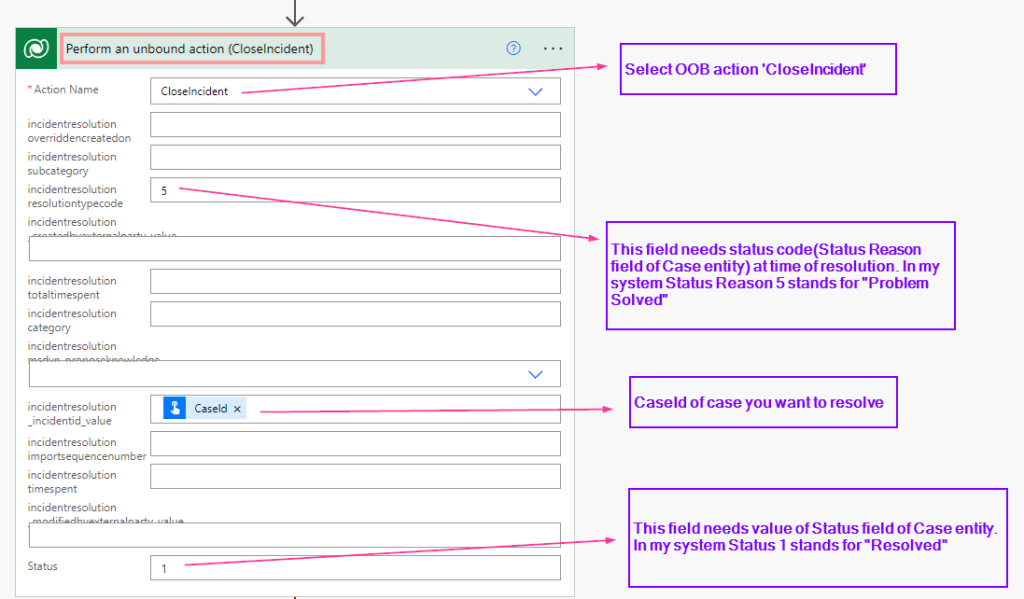
When you try to use this action with the correct data provided the Power Automate fails with error :
“CRM do not support direct update of Entity Reference properties, Use Navigation properties instead.“
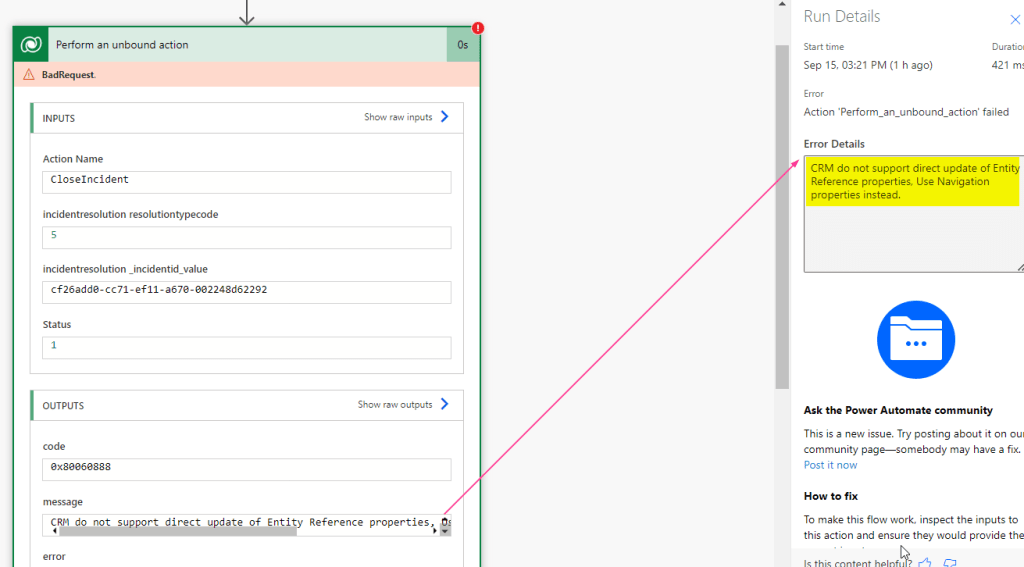
To use the navigation property, we will have to do it in a different way. Let us see how.
- We need to provide the Action Name as => Select Custom Value and in expression use trim function with Unbound action name => trim(‘CloseIncident’)
- Action Parameter we need to pass Json object with the required parameters.
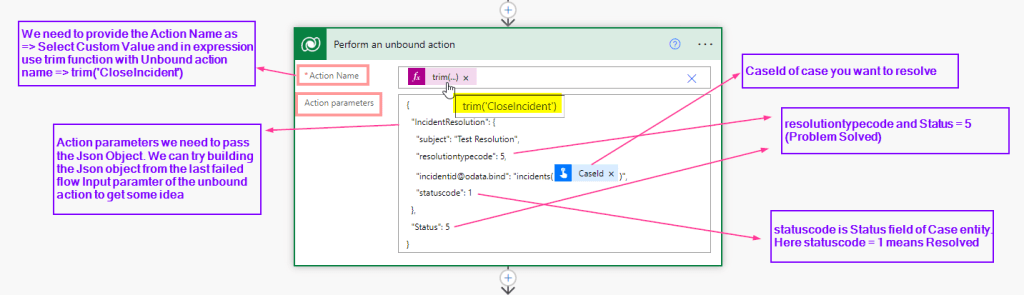
{
  "IncidentResolution": {
    "subject": "Test Resolution",
    "resolutiontypecode": 5,
    "incidentid@odata.bind": "incidents(CaseId)",
    "statuscode": 1
  },
  "Status": 5
}
3. Just by calling an Unbound Action ‘CloseIncident’ in this manner will resolve your case.
 Microsoft Dynamics CRM & Power Platform