Disable Copilot in Dynamics 365 CRM CE
By default the Copilot feature is on.
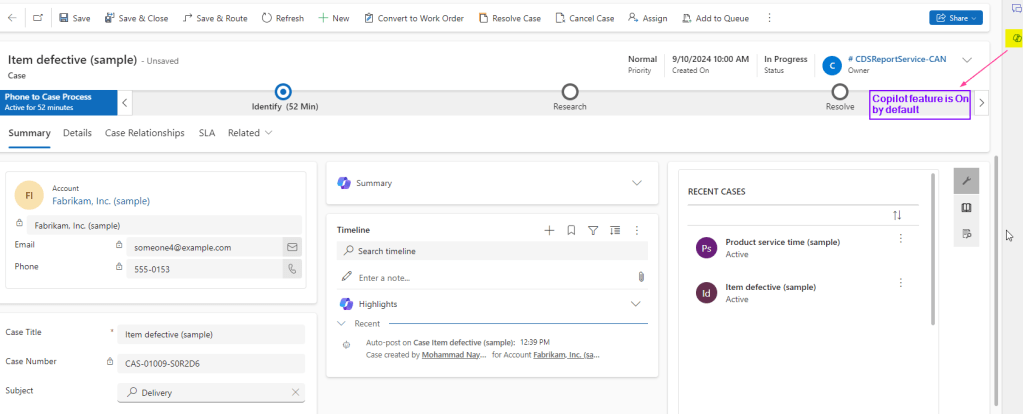
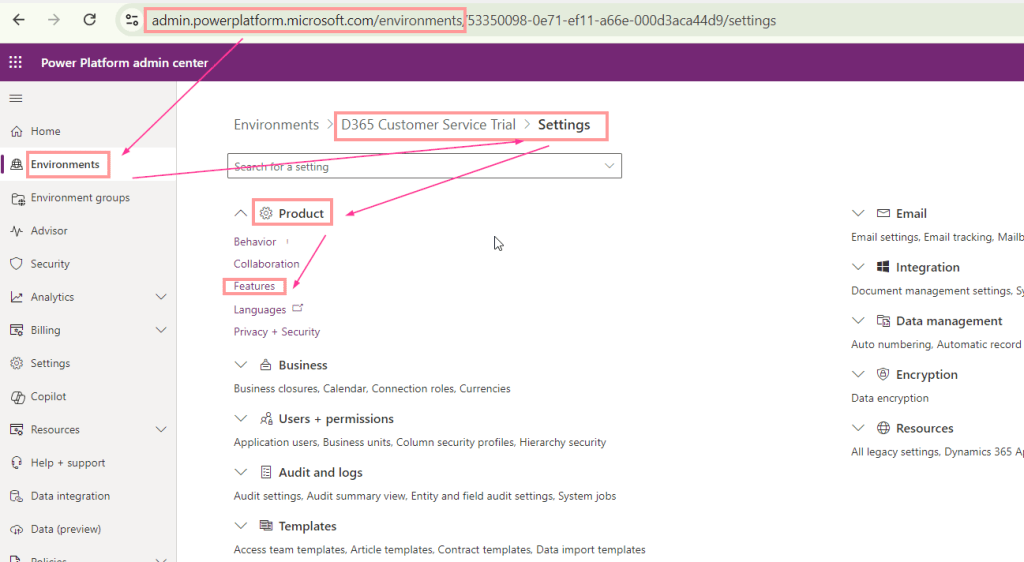
- To disable Copilot feature at environment level you need to navigate to admin.powerplatform.com
- Select your Environment in the Admin Center for which you want to disable the Copilot feature.
- Navigate to => Environment => Settings => Features
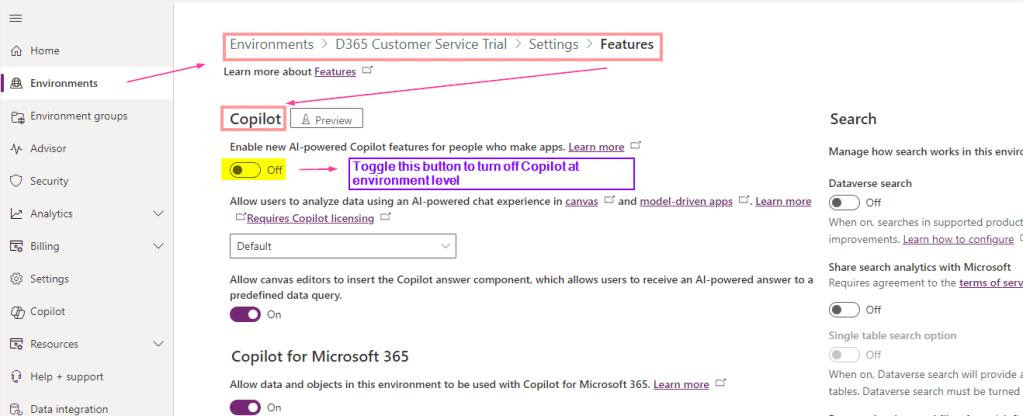
4. Now you will see “Copilot” setting. Just toggle the button to turn it off. Don’t forget to click Save button at bottom of the screen.
 Microsoft Dynamics CRM & Power Platform